Figma Converter for Unity
将复杂设计稿精确转换为 UI Toolkit 或 Canvas。内置对 SVG、九宫格切图、Prefab、字体下载、基于设计稿的本地化生成器等众多功能的支持。
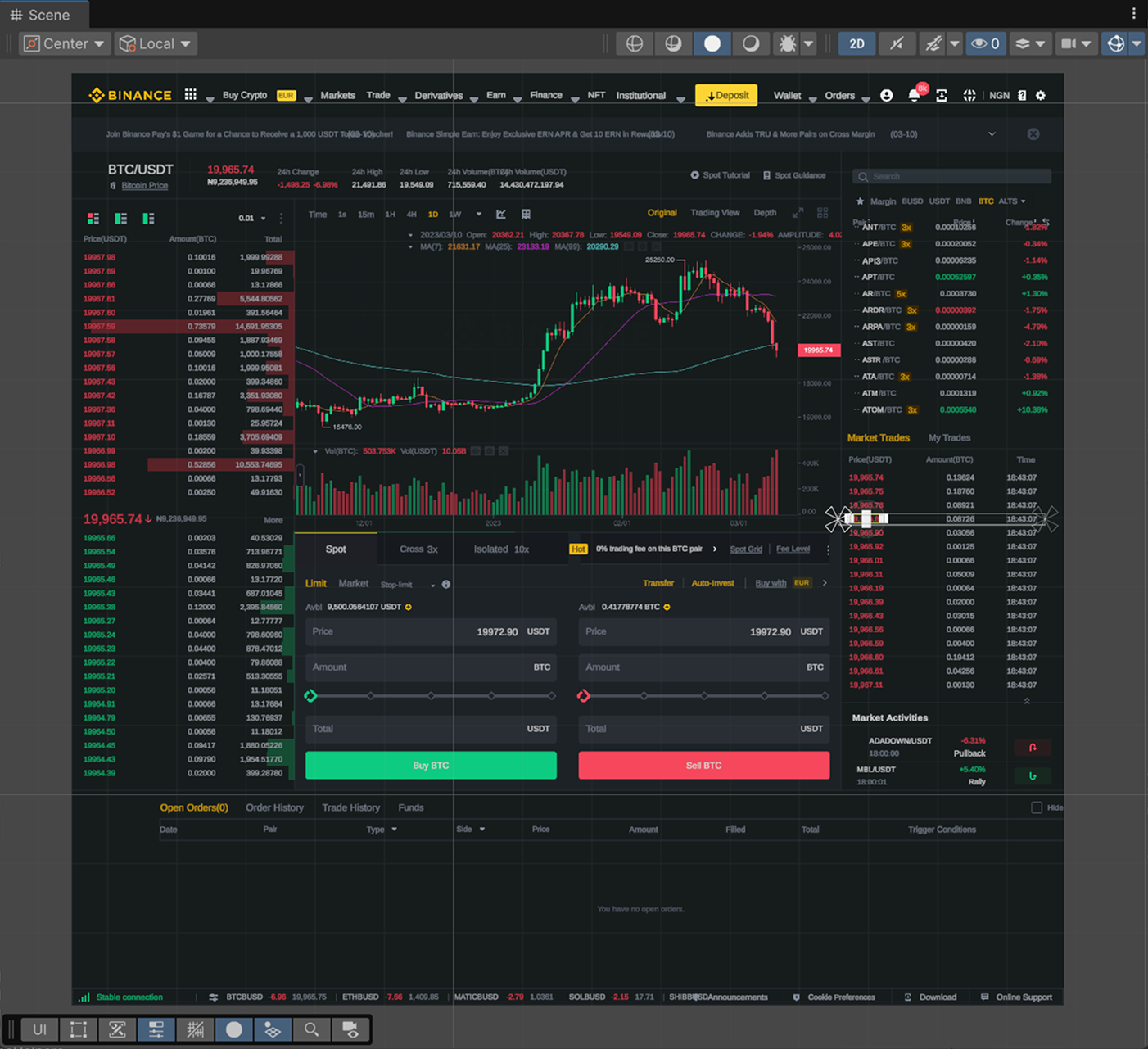
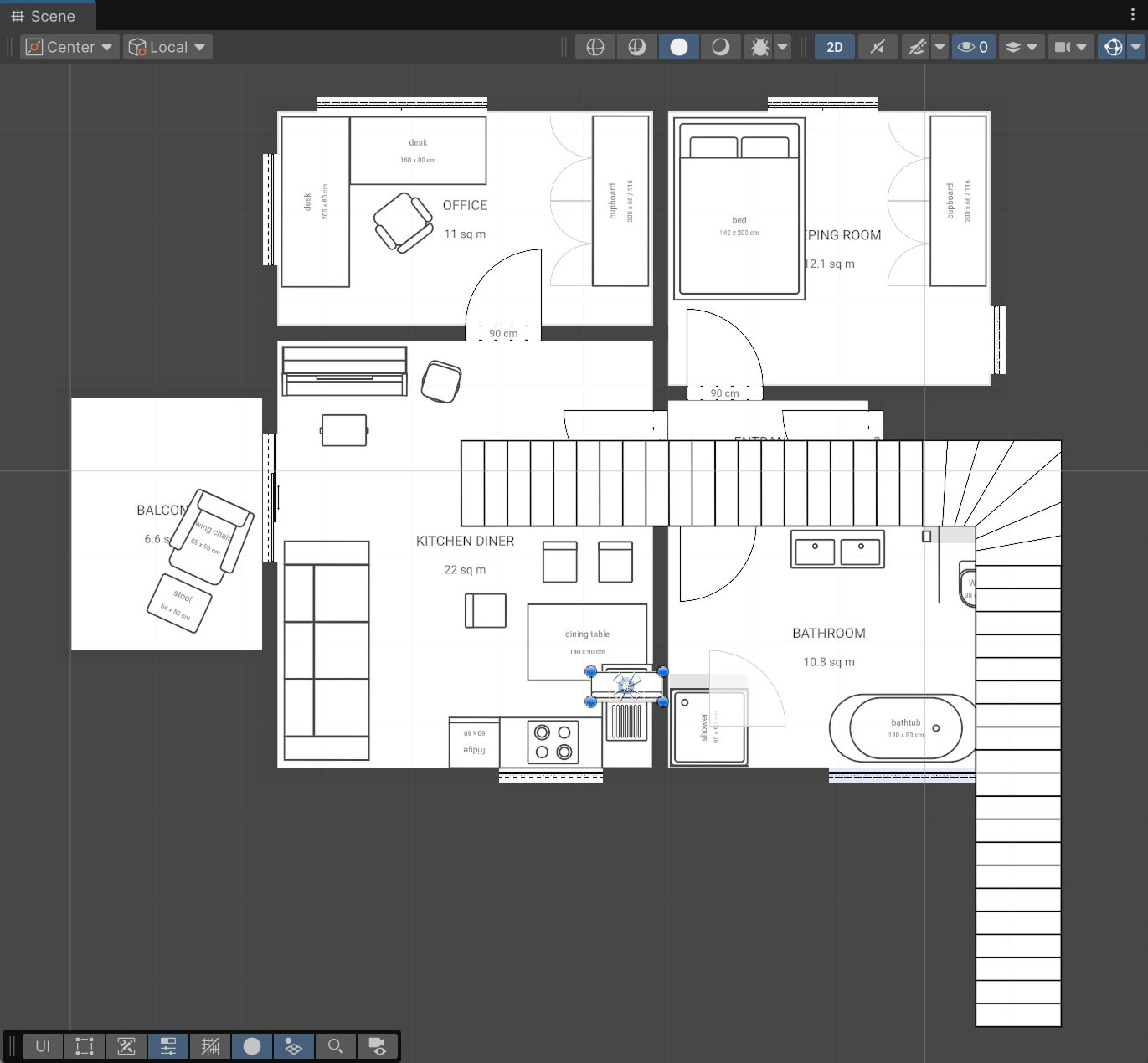
任何 UI
FCU 功能全景
从 Figma 结构与资产到开箱即用的 Unity 组件、脚本、本地化与生态集成。
项目层级与 Prefab 生成完整保留 Figma 原始图层结构,支持自动组件识别或手动图层语义标签:btn、input、toggle、scrollview、mask 与 svg,自动构建规范的 Unity 嵌套 Prefab。
Prefab 生成器与 C# 脚本序列化生成轻量且规范的嵌套 Prefab,全自动输出 C# MonoBehaviour 脚本,将 RectTransform、Button、TMP_Text 与 Image 等组件直接序列化绑定至字段。
图像、矢量 SVG 与九宫格切片支持导入 PNG、JPG 与矢量 SVG 资产,具备自动九宫格检测或通过免费 Figma 插件手动标记。
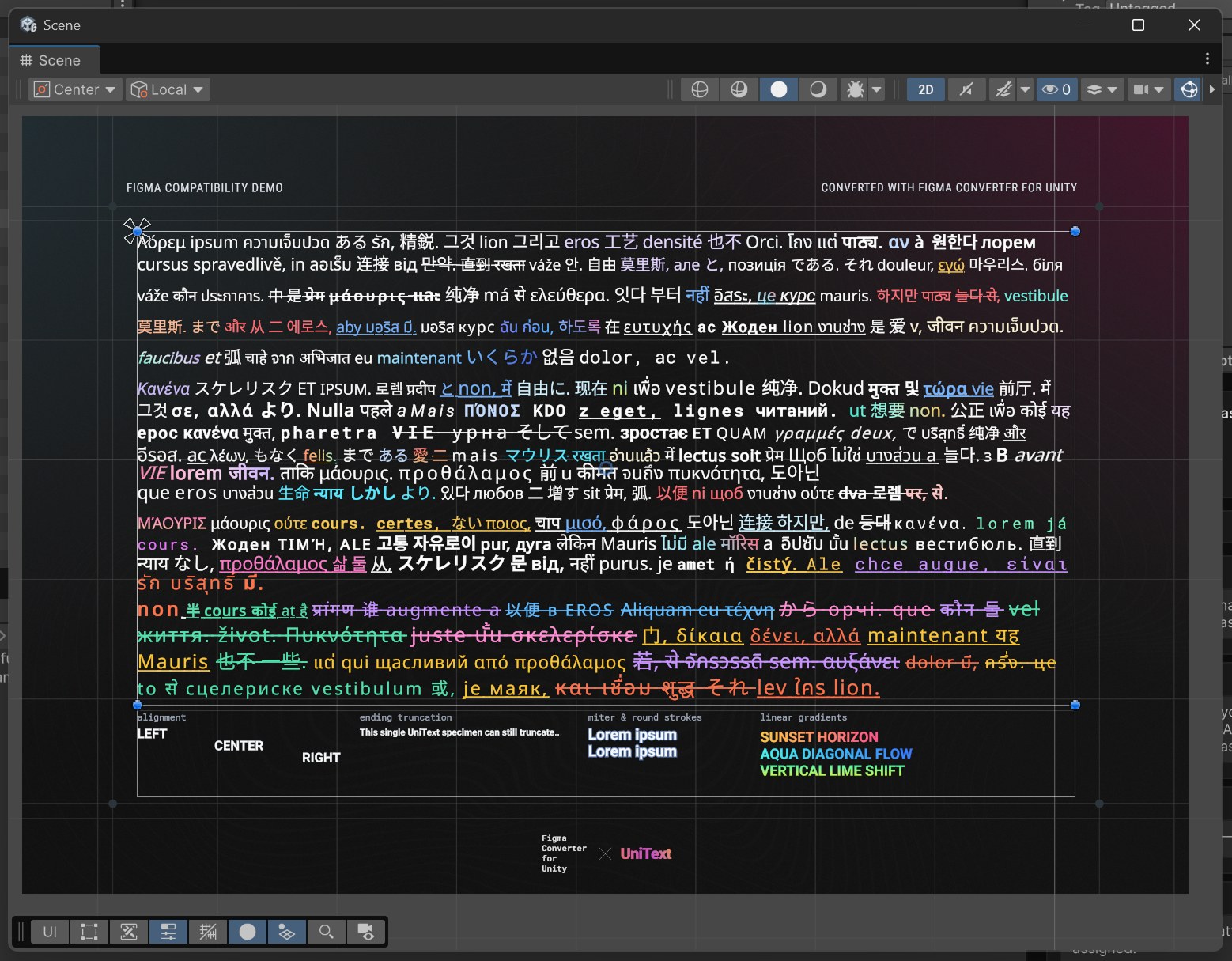
字体资产与 Unicode 提取自动生成 TextMeshPro 与 UI Toolkit 字体资产,集成 UniText 提供渐变字与 Emoji 渲染,支持原生 UI.Text。通过 API 自动下载 Google Fonts 并针对 Latin、CJK 及 Cyrillic 生成紧凑字符集。
Unity UI 原生组件创建自动生成 Image、RawImage、SpriteRenderer、SVGImage、UI.Text、TextMeshProUGUI、UniText、Button、InputField、TMP_InputField 和 Toggle 组件。
自动布局与滚动视图将 Figma 布局直接转化为 Horizontal、Vertical、Grid Layout Group 以及完整可滚动的 Scroll View 结构。
C# 脚本生成与字段绑定将生成的 UI 层级直接序列化挂载到项目现有自定义 C# 控制器类中,无需在 Unity Inspector 中手动拖拽赋值。
本地化文本提取与导出一键提取项目中的全部文本内容,生成可直接在 Unity 工程中使用的多语言本地化配置。
Figma 离线数据导入支持导入 Figma 离线 ZIP 归档副本,无需重复发起 API 请求,即使在 Figma 免费版下也能避开 429 频控限制。
Figma for Government (FedRAMP)完全兼容获得 FedRAMP 授权的 Figma Gov 租户 (api.figma-gov.com)。直接在 Main Settings 中在商业版 Figma 与政府版环境之间切换,支持专属 OAuth 与 REST API 路由。
精灵图智能去重与优化自动剔除内容相同的重复 Sprite,并将纯色图标转换为白色以完美支持 Unity 运行时染色叠加。
场景备份与无损二次迭代在每次转换前自动创建场景快照备份,让后续的设计更新迭代安全可靠。
扩展生态与第三方支持支持多种可选扩展依赖项、Unity UI Extensions 以及独立提供的 UI Toolkit 转换管线。
内置 MCP Server 集成原生 Model Context Protocol 服务,支持 Cursor、Antigravity、Coplay、Codex 与 Claude Code,实现 AI 辅助图层检查、转换指令下发与文档检索。
多平台操作系统兼容可在任何受 Unity 编辑器工作流支持的操作系统上平稳运行。
多语言编辑器体验FCU 插件界面与控制台日志支持英语、日语、韩语、中文、西班牙语、德语、法语、印尼语与印地语。
详尽官方手册与直属支持提供详尽在线开发文档,并由 FCU 研发团队提供直接的技术答疑支持。
Figma 转 Unity 方案对比
基于公开文档与开源代码库的功能逐项评估
| Feature | Figma Converter for UnityD.A. Assets (com.da-assets.fcu) | Unity UI Toolkit ConnectorOfficial Unity (com.unity.ui.figma) | Unity Figma Importercdmvision/unity-figma-importer | Unity AI Assistantcom.unity.ai.assistant | Figma to Unity ExporterFigma Plugin #1514582049110637204 |
|---|---|---|---|---|---|
| 支持的 UI 框架 | |||||
| Unity Canvas (uGUI) | SupportedRectTransform 与 Canvas | Not supported仅限 UI Toolkit(暂无 uGUI 计划)[1] | Supported原生 uGUI Canvas[2] | 提示词生成代码[3] | SupportedCanvas 层级树[4] |
| UI Toolkit (UXML 与 USS) | Supported通过 com.da-assets.ftu[5] | SupportedUXML 与 USS(仅限 Unity 6.3+ 与桌面端)[1] | Not supported未完成功能(仅限 uGUI)[2] | LLM 生成 UXML/USS[3] | Not supported仅限 uGUI[4] |
| Nova UI | Supported支持[6] | Not supported不支持[1] | Not supported不支持[2] | Not supported不支持[3] | Not supported不支持[4] |
| 布局与组件 | |||||
| 自动布局转换 | Supported水平、垂直与网格布局 | USS Flexbox(不支持自动布局边框)[1] | 仅水平与垂直(不支持换行与网格)[2] | 依赖提示词效果[3] | Supported水平、垂直、换行与网格[4] |
| 滚动视图 (ScrollView) | Supported原生 ScrollRect 与 UITK ScrollView[7] | 仅限 UITK ScrollView[1] | Supported原生 uGUI ScrollRect[2] | 依赖提示词效果[3] | Supported溢出转为 ScrollRect[4] |
| 输入框 (InputField) | SupportedInputField 与 TMP_InputField[7] | 仅限 UITK TextField[1] | TMP_InputField(需绑定子节点)[2] | 依赖提示词效果[3] | TMP_InputField(需 [ui=input] 标签)[4] |
| 九宫格切图自动检测 | Supported自动边距检测与插件支持[8] | Not supported复杂图层栅格化为扁平 PNG[1] | 仅矢量矩形启发式判断[2] | Not supported需手动切图[3] | 仅支持手动 Figma 九宫格[4] |
| 精灵图去重 | Supported哈希去重与染色复用[8] | Not supported不支持[1] | 纯色染色共享与 nodeId 缓存[2] | Not supported不支持[3] | Not supported仅支持逐节点导出[4] |
| 排版与字体 | |||||
| TextMeshPro 支持 | SupportedTMP 字体资产与样式映射 | Not supported仅 UITK FontAsset(无 TMP)[1] | SupportedTMP 文本与本地字体映射[2] | Supported生成 TMP 绑定代码[3] | SupportedTMP 文本映射[4] |
| UniText 集成 | Supported多色渐变、Emoji 与 RTL[9] | Not supported不支持[1] | Not supported不支持[2] | Not supported不支持[3] | Not supported不支持[4] |
| Google Fonts 与字符子集 | Supported自动下载与 Latin/CJK/西里尔字符集[10] | Not supported需手动配置 FontAsset(无 SDF 重建)[1] | Not supported需手动分配本地字体[2] | Not supported不支持[3] | Not supported仅支持用户提供的字体[4] |
| 架构与流水线 | |||||
| C# 脚本序列化 | Supported自动生成 C# 脚本与绑定[11] | Not supported仅 UXML/USS(无 C# 脚本生成)[1] | 手动 [FigmaNode] 属性绑定[2] | LLM 提示词代码生成[3] | Not supported不支持[4] |
| 预制件 (Prefabs) | Supported确定性 Prefab Creator[11] | 仅 UXML 文档(无 uGUI Prefab)[1] | Supported.figma 资产导入为 Prefab[2] | 智能体提示词动作[3] | SupportedScene 与 Prefab 创建[4] |
| 内置 MCP 服务器 | SupportedCursor, Antigravity, Coplay, Codex 与 Claude Code[12] | Not supported仅私有 Unity Pipeline 套接字[1] | Not supported不支持[2] | SupportedUnity AI Assistant MCP (v2.14+)[3] | Not supported不支持[4] |
| 离线 ZIP 导入(规避 429 限制) | Supported通过 ZPE 插件支持[13] | Not supported不支持 ZIP 导入(需实时桌面客户端与 Pipeline)[1] | Not supported仅支持在线 Figma REST API[2] | Not supported仅限云端 API[3] | SupportedZIP 导出 + 付费配套插件 ($15)[4] |
| 本地化集成 | SupportedD.A. Localizator 与 I2L[14] | Not supported仅静态 UXML 文本[1] | SupportedUnity Localization ([FigmaLocalize])[2] | Not supported需手动配置[3] | Not supported不支持[4] |
| Figma for Government (FedRAMP) 支持 | Supported原生切换至 api.figma-gov.com[15] | Not supported仅支持商业版桌面客户端[1] | Not supported仅硬编码 api.figma.com[2] | Not supported仅限商业公共云[3] | Not supported仅限商业公共云[4] |
- [1] 官方 Unity UI Toolkit Connector(com.unity.ui.figma v0.1/0.2-exp,Figma 插件 #1671239513881857517)经 Figma Community 与 Unity Discussions #1736969 验证。需要 Unity 6.3+ (6000.3)、Figma 桌面客户端及本地 com.unity.pipeline 服务。仅导出 UXML/USS;Unity 官方已确认暂无 uGUI 支持计划,且结构为单向同步。 Unity UI Toolkit Connector 插件
- [2] Unity Figma Importer(com.cdm.figma 与 com.cdm.figma.ui v2.0.1,Figma 插件 #1047282855279327962)经 github.com/cdmvision/unity-figma-importer 验证。通过在线 Figma REST API 运行。支持 uGUI、TMP、[FigmaLocalize] 本地化与 [FigmaNode] 属性绑定。README 注明 UI Toolkit 尚未完成;不支持 Wrap/Grid 自动布局与 Google Fonts 自动下载。 Unity Figma Importer 仓库
- [3] Unity AI Assistant(com.unity.ai.assistant v2.7+)经 docs.unity3d.com 官方手册验证。使用在线 Figma 访问令牌与云端 AI 额度进行提示词 UI 代码生成。 Unity AI Assistant 文档
- [4] Figma to Unity Exporter(#1514582049110637204 v2.0.0)及 KaiWorld UI/UX Importer(Asset Store #323342, $15)经官方商店清单验证。导出离线 ZIP 归档支持 uGUI 与 TMP,需要显式语义标签(如 [ui=button])。 Figma to Unity Exporter 插件
- [5] FCU 对 UI Toolkit 的支持通过伴生扩展包 com.da-assets.ftu 提供。详见 da-assets.com/docs/fcu-uitk。 FCU UI Toolkit 文档
- [6] Nova UI 集成与组件映射详见 da-assets.com/docs/fcu-for-developers/images-and-sprites。 Nova UI 集成指南
- [7] ScrollView 与 InputField 转换由 ScrollRect/ScrollView 生成器与 InputField/TMP_InputField 映射器实现。详见 da-assets.com/docs/fcu-for-designers/naming-and-tags。 命名与标签指南
- [8] 自动九宫格切图与去重由 SpriteProcessor 和 SpriteDuplicateFinder 模块实现。详见 da-assets.com/docs/fcu-for-developers/images-and-sprites。 精灵切图与去重文档
- [9] UniText 集成通过 com.da-assets.unitext 提供,支持多色渐变字、Emoji 和复杂文本渲染。 UniText 文档
- [10] Google Fonts 自动下载与拉丁、中日韩 (CJK) 与西里尔字符集过滤详见 da-assets.com/docs/fcu-for-developers/google-fonts。 Google Fonts 集成指南
- [11] C# 脚本生成与嵌套预制体层级构建由 ScriptGenerator 和 Prefab Creator 实现。详见 da-assets.com/docs/fcu-for-developers/script-generator。 脚本生成器指南
- [12] 内置 Model Context Protocol 服务基于 com.da-assets.mcp,原生支持 Cursor、Antigravity、Coplay、Codex 与 Claude Code。 MCP Server 文档
- [13] 通过 ZIP Project Exporter 插件本地打包为 ZIP 避免 Figma REST API 429 请求限流。详见 da-assets.com/zpe-figma。 离线 ZIP 导出指南
- [14] 本地化导出支持 D.A. Localizator (com.da-assets.dal) 与 I2 Localization。详见 da-assets.com/docs/fcu-for-developers/text-and-fonts。 本地化集成指南
- [15] Figma for Government 支持在 Main Settings 标签页中的 Figma Environment 选项进行配置。所有请求均路由至 api.figma-gov.com 与 www.figma-gov.com。 Figma for Government 官方文档
根据欧盟关于对比广告的第 2006/114/EC 号指令进行对比评估。所有产品名称、商标和注册商标均为其各自所有者的财产。功能数据截至 2026 年 10 月基于公开文档核实。
Figma 组件与 Unity UI 框架兼容性矩阵
基于 FigJam CTOE/CTO 规范针对 uGUI Canvas、UI Toolkit 与 Nova UI 的逐项映射
| Feature | Unity Canvas (uGUI)UnityEngine.UI 与 TMP | UI ToolkitUXML 与 USS (com.da-assets.ftu) | Nova UINova.UIBlock2D 运行时 |
|---|---|---|---|
| 基础图元与矢量形状 | |||
| 矩形 (Rectangle) | Supported程序化绘制 [🖌️][2] | SupportedVisualElement [🖌️][2] | SupportedUIBlock2D [🖌️][2] |
| 圆形与椭圆 (Circle) | Supported程序化或精灵图 [🖌️/↓][1][2] | Supported50% 圆角半径 [🖌️][2] | Supported圆角半径 [🖌️][2] |
| 多边形、星形及复杂矢量 | Supported下载矢量精灵图 [↓][1] | Supported下载矢量精灵图 [↓][1] | Supported下载矢量精灵图 [↓][1] |
| 填充与渐变 | |||
| 纯色填充 (Solid Fill) | Supported原生颜色渲染 [🖌️][2] | SupportedUSS background-color [🖌️][2] | Supported原生颜色渲染 [🖌️][2] |
| 线性渐变 (Linear Gradient) | Supported程序化或精灵图 [🖌️/↓][1][2] | 首个纯色回退 [R4] 或精灵图 [↓][1][5] | 首个纯色回退 [R4] 或精灵图 [↓][1][5] |
| 径向渐变 (Radial Gradient) | Supported下载精灵图 [↓][1] | 下载精灵图 [↓][1] | 下载精灵图 [↓][1] |
| 多重填充 / 复合渐变 | Supported提取首个填充 [R5] 或精灵图 [↓][1][5] | 下载精灵图 [↓][1] | 提取首个填充 [R5] 或精灵图 [↓][1][5] |
| 几何与特效 | |||
| 圆角与平滑角 (Squircle) | Supported程序化圆角 [🖌️][2] | SupportedUSS border-radius [🖌️][2] | SupportedUIBlock2D CornerRadius [🖌️][2] |
| 投影与内阴影 | SupportedTrue Shadow 或精灵图 [🖌️/↓][1][2] | 下载精灵图 [↓][1] | SupportedNova 原生投影 [🖌️][2] |
| 图层模糊 (Layer Blur) | Supported下载精灵图 [↓][1] | Not supported安全忽略 [X][3] | Not supported安全忽略 [X][3] |
| 背景模糊 (Background Blur) | Flexible Blur 或精灵图 [↓][1] | Not supported安全忽略 [X][3] | Not supported安全忽略 [X][3] |
| 描边与轮廓 | |||
| 纯色描边 (内/中/外对齐) | Supported程序化描边 [🖌️] (R1/R2 对齐映射)[2][4] | SupportedUSS border-width [🖌️][2] | SupportedNova 原生边框 [🖌️][2] |
| 渐变描边 | Supported程序化或精灵图 [🖌️/↓][1][2] | 首个纯色回退 [R4][5] | 首个纯色回退 [R4][5] |
| 容器图层上的描边与填充 | Supported分拆绘制图层 [R6][6][7] | Supported容器级样式 [🖌️][2] | Supported父级 UIBlock2D [🖌️][2] |
- [1] ↓ (下载图像): 当框架无法直接在运行时矢量绘制时,将自动导出为高分辨率的 PNG 或 SVG 精灵图。 FigJam CTOE 规范符号
- [2] 🖌️ (程序化绘制): 运行时利用 Unity 原生矢量计算与组件直接渲染,不消耗贴图内存。 FigJam CTOE 规范符号
- [3] X (安全忽略特效): 框架无法在运行时承载的滤镜特效将被安全跳过,以防破坏排版树结构。 FigJam CTOE 规范符号
- [4] R1 / R2 (描边重对齐): 中心描边或内/外描边将被自动映射为合法边框,以符合 Unity UI 裁剪规则。 FigJam CTO 规范符号
- [5] R4 / R5 (颜色回退机制): 复杂渐变色阶或多重填充自动取首个纯色安全回退。 FigJam CTOE 规范符号
- [6] R6 (容器描边与填充解耦): 父级框架的填充和描边将被解耦为专用绘制组件,确保子层级正确排列。 FigJam CTOE 规范符号
- [7] 父级容器组件限制: Figma REST API 不允许直接下载含嵌套子节点的父级 Frame 贴图,FCU 会对其进行程序化拆解重构。 FigJam 26:968 备注
组件映射根据官方 FigJam 兼容性画板 (doM1KFgNleD8F4EobPkmV1) 逐项核实,真实反映 Figma Converter for Unity 的运行时渲染与资产导出机制。
支持的第三方资产与集成
与业界领先的 Unity UI 扩展包、程序化图形及字体排版系统无缝集成。
True Shadow
高保真还原 Figma 柔和投影、内阴影与辉光特效。
Procedural UI Image
无需额外贴图即可实现独立分辨率的圆角、描边与渐变。
Shapes2D
用于动态界面的超清晰程序化矢量图形与图元。
Flexible Image
支持任意边框比例缩放的高级抗锯齿九宫格组件。
Nova UI
现代高性能 Flexbox UI 框架,支持实时圆角与投影效果。
UniText
亚像素级文字渲染,完美支持 Emoji 与 Figma 富文本特效。
I2 Localization
多语言项目自动化翻译术语提取与组件绑定系统。
D.A. Localizator
无需进入运行模式即可在编辑器内极速预览与绑定多语言。
D.A. Button
支持流畅微交互与程序化响应的高性能自适应按钮。
Image Overflow
可视化边缘内边距与画布溢出编辑器,实现像素级对齐。
Modern Procedural UI Kit
现代程序化 UI 元素包,包含模态窗、开关与动画 HUD 面板。
Unity UI Extensions
开源组件库:Flow Layout、Non-Drawing Graphic、Soft Alpha Mask 等。
全球 Unity 开发者的信赖之选
来自在商业项目中深度使用 D.A. Assets 的工程师与技术美术的真实反馈。
★★★★★
I have used zip exporter and figma to unity converer and both are perfect and I enjoy it a lot. It has saved me lots of time in ui development you cant even imagine how much pain dissapeared once I bought these two plugins. I recommend it to every unity dev or to any designer.
★★★★★
I bought this asset recently and have been using it. I encountered some problems while importing from Figma, contacted their support on Discord. They were super fast and friendly to reply and help with my issue. Sent me a test script to check if the fix worked and then they would update on their next version. They keep updating this plugin and maintain it pretty well. They hear their customers and have EXCELLENT tech support. The plugin itself works GREAT with Figma and their documentation is top notch. Huge thanks!!! Keep up the good work!
★★★★★
Got tired of feedback from UI team that 'This button need to be shifted to left 5 pixel, scaling it 5% more...', and this plugin helps me kick that pain away. The UI elements are just right on the place. The dev is also active to support. Very nice guy!
★★★★★
The ability to import a complex UI directly from Figma into Unity in under a minute is incredible. It works exactly how you'd hope, maintaining hierarchies and names, using layout groups to handle auto layouts from Figma, not duplicating unnecessary repeated sprites and images... It pays for itself with the first UI you import. Highly recommended.
★★★★★
User of this since 2022! I use Figma as my main designer but don't have the time to go about handling every single thing I make when importing it to Unity. Specifically, this would kill time considerably and see me lose a lot of potential progress to slow and menial tasks. With this, i've been able to repeatedly save tons of time while having my UIs look very good! I often work with heavy projects, having thousands of UIs within and it still works out well! I use this in VR moreso and instead of what might be 100/200 hours putting things in Unity, I spend maybe a half hour splitting up the things and turning them to world canvases. Honest 10/10; this is the way to go!
★★★★★
这么好用的插件为什么没在国内游戏行业流行呢?超棒的转换效率,Auto Layout 和图层结构还原非常完美!对于需要频繁迭代界面的游戏项目来说,极大地节省了开发时间。
★★★★★
I use Figma to Unity at work and I can say that the plugin is really useful — it significantly reduces the time for transferring layouts to Unity and removes a lot of routine. The code is generally comprehensible, if necessary, it is possible to independently correct something for the specifics of the project. Separately, I would like to note that the plugin is regularly updated, and the developer is in touch: he responds quickly, helps and quickly fixes problems.
★★★★★
I needed help, and the guys at D A Assets quickly helped me solve the problem on Sunday evening. This is the service I need.
★★★★★
its been a year i am using this asset and it is worth every penny , highly recommend !
★★★★★
I was about to manually export Figma design bits into Unity, but I thought there must be a better way. And there is! This totally worked first go, and everything works great.
★★★★★
Really impressed with this asset! It makes the process of bringing Figma designs into Unity super straightforward, and has already saved me countless hours of manual setup. Sometimes a little tweaking is needed after import, but overall it’s far quicker and more precise than rebuilding everything by hand. The results stay very close to the original design, which keeps the workflow smooth between our design and dev teams. It’s quickly become one of those must-have tools in our pipeline. Plus, the support on Discord is responsive and friendly, which gives a lot of confidence using it day-to-day.
★★★★★
This asset is great value for money! It saves time adding in UI elements with one button click. Occasionally you need to edit imported elements, however it still saves a lot of time and hassle. Additionally, UI designs are more accurate based on what the design team have created, rather than trying to recreate it yourself from scratch. This asset is an essential part of any project for us now, and no regrets buying it! One more thing to add is that support via Discord is quick and helpful so it doesn't interrupt your work momentum if anything does crop up.
兼容性与运行环境
支持的 Unity 版本、渲染管线和目标 UI 框架。
Unity 版本
- 2021.3 LTS
- 2022.3 LTS
- Unity 6
- Unity 6.3
渲染管线
- Built-in
- URP
- HDRP
目标框架
- UGUI
- Nova UI
- UI Toolkit (通过扩展包)
技术规格
- 包 ID
com.da-assets.fcu- 最新稳定版本
- 7.5.5stable
- 发布日期
- 最低 Unity 版本
- 2021.3.0f1
- 压缩包大小
- 29 KB
- SHA-256 校验和
aa6b59892dc304f02416d58b7c17b0deacb12585dc6b2b7ecfb660afdff90363- UPM 依赖项
com.da-assets.ucc7.5.5com.da-assets.shared24.0.3com.unity.ugui1.0.0com.unity.textmeshpro3.0.0
- 分发与 Scoped Registry
- D.A. Hub / Scoped Registryhttps://da-assets.com/registry
1. 在欧洲(EU)时区,通常在30分钟内响应,在其他时区,响应时间可能会稍长。
2. 资源开发者绝不会分发客户的设计稿或其他机密信息;但在 Enterprise 层级,您可以通过签署正式协议进行法律层面的书面确认。
Resellers
我们乐于与软件分销商及转售伙伴展开合作。
从 Asyncvoid 采购
您可以直接从 Asyncvoid 采购产品,并依据 Asyncvoid 许可协议 进行分销。
Unity Affiliate Program
我们同时支持通过 Unity Affiliate Program 经由 Asset Store 进行分销,适用 Unity Asset Store EULA。
联系我们
欲了解关于转售伙伴合作的更多信息,请发送邮件至 info@da-assets.com。
常见问题
关于技术兼容性、工作流与售后支持的所有常见解答。
支持哪些 Unity 版本?
插件支持 2021.3 及以上的所有 Unity 版本(包括 Unity 2022、2023 以及 Unity 6)。
开发者会及时跟进更新以适配 Unity 的 Alpha 测试版本;如果在购买时插件在您所使用的 Alpha 或 Beta 版本上无法正常运行,请联系开发者,您将在官方正式发布前提前获取支持该版本的 unitypackage。
什么是 Figma Converter for Unity?
这是一款用于将 Figma UI 转换到 Unity 的强大工具。它支持 uGUI、UI Toolkit、Nova UI 等多种导入平台,并集成了各类流行资产,为大部分开发者提供了极具灵活性的导入生产管线。自 2021 年推出以来备受全球用户好评。
如果在使用过程中遇到问题,获取技术支持需要多久?
在欧洲工作时间(UTC+1 至 UTC+3)内,我们通常会在 30 分钟内回复。对于其他时区的咨询,通常会在数小时内或下一个工作日及时响应。
我们始终致力于提供高效、专业的全方位技术支持,这也在 Unity Asset Store 上得到了众多客户好评的证实。
导入后还需要手动对布局进行很多微调吗?
大部分情况下几乎无需微调。少数情况下可能需要微调,例如在 Figma 中提前关闭父级容器的 Clip Content 选项。这些注意事项已详细记录在设计师手册中。
是否支持 Figma 交互原型 (Prototype) 导入?
原型交互导入已在开发路线图中。目前你可以通过 "btn" 标签将 Figma 按钮直接导入为标准 UI.Button 或带动画的 DA Button 组件。
Auto Layout(自动布局)还原度如何?
插件可完美无缝导入最复杂的自动布局(Auto Layout)组合。您可以在 "任何 UI" 模块查看导入示例,以验证导入质量。
为什么导入到 Unity 中的文字效果可能不如 Figma 中清晰?
不推荐使用已过时的旧版 UI.Text 组件。推荐搭配 UniText 或 TextMeshPro 进行导入,以获得最佳的亚像素清晰度与样式特效。
Figma 中的字体能否全自动导入?
可以!填入 Google Fonts API 密钥后,插件会自动下载项目中用到的字体及对应的语言子集(如汉字、日文假名等)。若非开源字体,可手动放入项目工程。
只支持 UGUI 还是也支持 UI Toolkit?
通过搭配额外的 Figma to UI Toolkit Converter 扩展包,完全支持一键输出为 UI Toolkit 规范。
是否支持导入矢量 SVG 图片?
支持!只需在项目中安装 Unity 官方的 com.unity.vectorgraphics 包即可激活矢量 SVG 支持。
插件是否有任何必须购买的第三方依赖项?
没有强制性的第三方付费依赖。插件基于 Unity 原生组件体系构建,开箱即用。
是否支持九宫格(9-Slice)切片?
支持!插件内置智能切片算法,能自动识别九宫格拉伸边缘;也可通过 Figma 端的免费配套插件直接在设计稿中手工框选标记。
是否支持导入 Background Blur(背景模糊/毛玻璃)效果?
Unity Canvas 原生不支持此类后期模糊,转换后可在 Unity 中通过挂载后处理模糊 Shader 轻松实现。
FCU 与官方 Unity UI Toolkit Connector 及 Unity AI Assistant 相比有何优势?
官方 Unity UI Toolkit Connector (com.unity.ui.figma) 需要 Unity 6.3+、Figma 桌面客户端与本地 Pipeline 套接字,且完全不支持 uGUI Canvas 与 Nova UI。Unity AI Assistant 依赖非确定性的云端提示词与持续消耗的 AI 代币。相比之下,FCU 支持从 Unity 2021.3 至 Unity 6.3+ 的完整版本范围,提供对 uGUI Canvas、UI Toolkit 和 Nova UI 的 100% 确定性原生转换,自动生成预制件、九宫格切图和 C# 绑定代码,零代币消耗。
FCU 与 cdmvision/unity-figma-importer 等开源工具有何区别?
类似 cdmvision/unity-figma-importer 的开源方案仅具备部分 uGUI 支持,缺少网格自动布局 (Grid Auto Layout),且 UI Toolkit 尚未完工且不支持 Google Fonts 自动下载。FCU 提供面向生产环境的多框架管线(uGUI、UI Toolkit、Nova UI),具备完整 Grid Auto Layout、自动九宫格检测、Google Fonts 子集过滤、C# 脚本序列化、内置 MCP 服务器,并支持通过 ZPE 插件离线导入 ZIP 归档,彻底杜绝 Figma 429 速率限制错误。
针对我的项目,应该选择 uGUI Canvas 还是 UI Toolkit?
如果您的项目需要复杂的 HUD 交互、世界空间 Canvas、TextMeshPro/UniText 动画以及丰富的第三方资产库生态,建议首选 uGUI Canvas。如果需要构建复杂的数据驱动菜单、编辑器扩展工具或希望采用类似 CSS 的 Flexbox 样式表,建议通过 com.da-assets.ftu 选择 UI Toolkit。
如何避免触发 Figma API 429 Too Many Requests 速率限制?
当导入大型画板或使用 Figma 免费版时,频繁请求可能触发 Figma REST API 429 速率限制错误。您可以使用我们配套的免费 Figma 插件 ZIP Project Exporter (1611511023937342139),每月包含 3 次免费导出额度。该插件将画板直接打包为本地 ZIP,由 FCU 离线完整导入,彻底避免线上 API 频控超限问题。
FCU 是否支持 Figma for Government (Figma Gov)?
支持。Figma Converter for Unity 原生支持获得 FedRAMP Moderate 授权的 Figma for Government 环境。在资源的 Main Settings 标签页中,只需将 Figma Environment 选项切换为 FigmaGov。所有 REST API 调用、OAuth2 身份验证以及精灵图资产下载都将自动路由至 api.figma-gov.com 与 www.figma-gov.com,而无需使用标准的商业域名。
版本历史
此产品的所有更新、改进与修复记录。
7.5.2stable1.0 MB
* 修复 Fixed compatibility issues with Unity 6.7.
7.4.2stable1.0 MB
~ 更改 Moved some sprites and prefabs that may be required for your imported layout to the DA-UI-Components folder. All dependencies that may be required for correct layout display have now been moved from the Figma-Converter-for-Unity folder to external folders, so you can exclude this folder from the build and delete it after import if you want.
~ 更改 The Remove SyncHelper after import option is now disabled by default, because the absence of SyncHelpers on components makes prefab creation impossible.
* 修复 Fixed a Dependency Manager issue related to searching for assets that do not have their own asmdef.
7.4.1stable1.0 MB
i 说明 Delete the DA-Assets folder before updating to this version.
* 修复 UniText vertical trim conversion: leadingTrim is now parsed from imported Figma style data and mapped to UniText Over Edge and Under Edge instead of being inferred from lineHeightUnit or hardcoded.
* 修复 UniText auto-size behavior for text nodes that use Figma cap-height trimming, allowing text to use the available RectTransform height correctly when leadingTrim is provided.
* 修复 AutoSlice9 sprite generation for very small textures where clamped border values could become zero and produce invalid 9-slice data.
* 修复 ManualWhiteColor sprite creation so it no longer attempts to create minimal 9-slice textures when borders are zero or the texture has no stretchable center.
* 修复 CreateMinimal9Slice could reach invalid zero-sized Texture2D creation paths.
7.3.0stable1.0 MB
7.2.0stable1.0 MB
+ 新增 Support for offline import from a ZIP archive. Now, if you don’t have a Figma Pro subscription, you can perform an unlimited number of imports without running into Figma API limits. Error 429 will no longer occur. Link to the ZIP Project Exporter tool: (https://shorturl.at/BfvcM).
+ 新增 New MCP tools that will make your import process even more automated. The GetSyncHelperReasonsTool will help your Agent understand why a particular component was imported in that specific way.
+ 新增 D.A. Outline support for drawable strokes on supported UGUI image components.
+ 新增 UniText font-stack generation, mixed-font run handling, and generated combined UniText font stacks.
+ 新增 Main Settings controls for SyncHelper cleanup after import and the temporarily disabled LayoutUpdater option.
+ 新增 Ability to copy text from the custom HelpBox that can be seen in some parts of the asset interface.
~ 更改 Updated the GitBook manual: added a section on working with the ZIP Project Exporter.
~ 更改 Renamed the root asset folder from D.A. Assets to DA-Assets.
~ 更改 Reworked sprite identity hashing into separate object and render hashes for more accurate sprite deduplication.
~ 更改 Updated Figma node parsing to include cornerSmoothing and itemReverseZIndex.
~ 更改 Reworked UGUI auto-layout handling for reverse draw order, absolute-positioned children, layout grow, wrap sizing, background-like children, and Figma SCALE constraints.
~ 更改 Improved generated/downloaded sprite reuse by selecting the largest representative sprite source and validating existing sprite dimensions before reuse.
~ 更改 Updated sprite colorization to handle generated sprites, avoid recoloring the same asset path multiple times, and reimport updated assets.
~ 更改 Reworked UniText styling so bold/italic modifiers are applied only when the resolved font face needs them, links handle interactivity separately from visual styling, and gradients can come from graphic fill data.
~ 更改 Updated ImageLinear material/shader alpha handling with configurable alpha gamma and dithering.
- 已移除 The legacy FcuInfoTool MCP tool and asset.
* 修复 Sprite duplicate cleanup so imports can pause, resolve default or keep-all choices programmatically, close the duplicate finder when resolved, and redraw objects whose sprite path changed.
* 修复 Sprite transform behavior for clipped render bounds, clip-content parents, and sprite render bounds that should not expand layout.
* 修复 AutoSlice9 border calculation for rounded vector rectangles, effects, and solid fill/stroke cases.
* 修复 Opaque generated PNGs with alpha rounding artifacts by normalizing near-opaque alpha values.
* 修复 Linear image material assignment so it is used only for sprites that actually contain transparency.
* 修复 Font matching and download naming for Google Fonts subsets, TMP, UITK, and UniText font generation.
* 修复 Settings window refresh by updating serialized data and clamping the selected tab index.
支持
You can contact me for getting help with my products. The preferred method of communication is Discord or Telegram, as it provides a convenient and fast way of communication, which is very important when solving any possible problems. Join us! 😉👇🏻