Receive from Asyncvoid
You can receive products directly from Asyncvoid and distribute them under the Asyncvoid license.
Free lightweight Unity UI graphic component that renders Image sprites beyond parent RectTransform boundaries for shadows, glows, and badges without affecting layout calculations. 100% Free for Personal tier ($0).
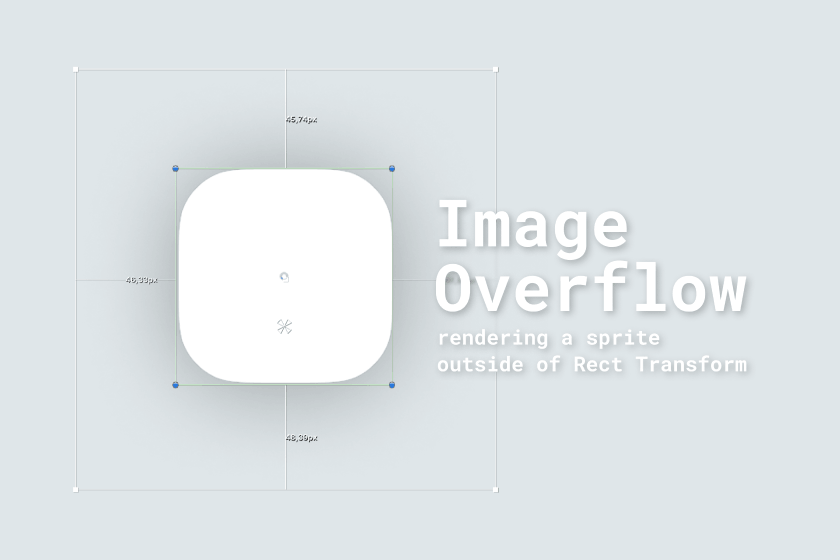
Render shadows, glows, and badges beyond RectTransform bounds with zero layout disruptions and multi-sprite support.
Comparison of boundary-free graphic rendering against default UnityEngine.UI.Image bounds
| Feature | Image OverflowD.A. Assets (com.da-assets.image-overflow) | Standard Unity ImageUnityEngine.UI.Image |
|---|---|---|
| Visual Margins & Hitbox Integrity | ||
| Render Beyond RectTransform Bounds | SupportedIndependent visual margin mesh expansion[1] | Not supportedStrictly clipped to RectTransform bounds[2] |
| Hitbox & Click Area Isolation | SupportedButton click target matches original hitbox[1] | Enlarging boundaries expands clickable area[2] |
| Personal Tier ($0 Free) | Supported100% Free ($0) for Personal license[1] | SupportedFree built-in Unity component[2] |
| Layout Group & Slicing Safety | ||
| AutoLayout Group Integrity | SupportedZero distortion in AutoLayout and ContentSizeFitter[1] | Not supportedPadded sprites distort parent layout groups[2] |
| 9-Slice & Tiled Sprite Compatibility | SupportedSupports sliced, tiled, and filled sprite types[1] | SupportedStandard 9-slice within bounds only[2] |
Comparative assessment conducted pursuant to EU Directive 2006/114/EC on comparative advertising. Unity UI Image specifications verified against official Unity Documentation as of October 2026.
Supported Unity versions, render pipelines, and target frameworks.
com.da-assets.image-overflowd4920ba41035023c9afe7454f1fbfd5195c4787092e528c1d1ae43ec8fefce20com.da-assets.shared24.0.3com.unity.ugui1.0.01. In the EU timezone, response time is typically within 30 minutes; in other timezones, response time may take longer.
2. The asset developer never distributes mockups or other confidential information of their clients; however, on the Enterprise tier, you can formalize this contractually.
We are open to partnerships with resellers.
You can receive products directly from Asyncvoid and distribute them under the Asyncvoid license.
Support for the Unity Affiliate Program is also available with sales via the Asset Store under the Unity Asset Store EULA.
For more information about reseller partnerships, please contact us at info@da-assets.com.
Everything you need to know about compatibility, workflows, and support.
Image Overflow is a Unity component based on BaseMeshEffect that renders the sprite of an Image component beyond its RectTransform boundaries. It's useful for creating visual effects like shadows, glowing outlines, or decorative elements that "overflow" their container without affecting the layout.
No. The overflow area is purely visual — it does not participate in AutoLayout, GridLayout, or HorizontalLayout calculations. Other elements in a layout group will not shift due to the overflow.
No. Image Overflow works as a supplementary component added to the same GameObject as your existing Image component. You don't need to replace or configure the Image component — just add ImageOverflow alongside it.
Currently, the Slice and PreserveAspectRatio features of the Image component are not supported when using Image Overflow. These modes affect how the sprite mesh is generated and are incompatible with the BaseMeshEffect approach.
When FCU converts layouts with glowing outlines or shadow sprites that protrude outside frames, Image Overflow can be attached automatically to render those effects without breaking Unity layout groups.
Comprehensive integration guides and layout rules for developers and designers.
All updates, improvements, and fixes for this product.
+ Added First release.
You can contact me for getting help with my products. The preferred method of communication is Discord or Telegram, as it provides a convenient and fast way of communication, which is very important when solving any possible problems. Join us! 😉👇🏻