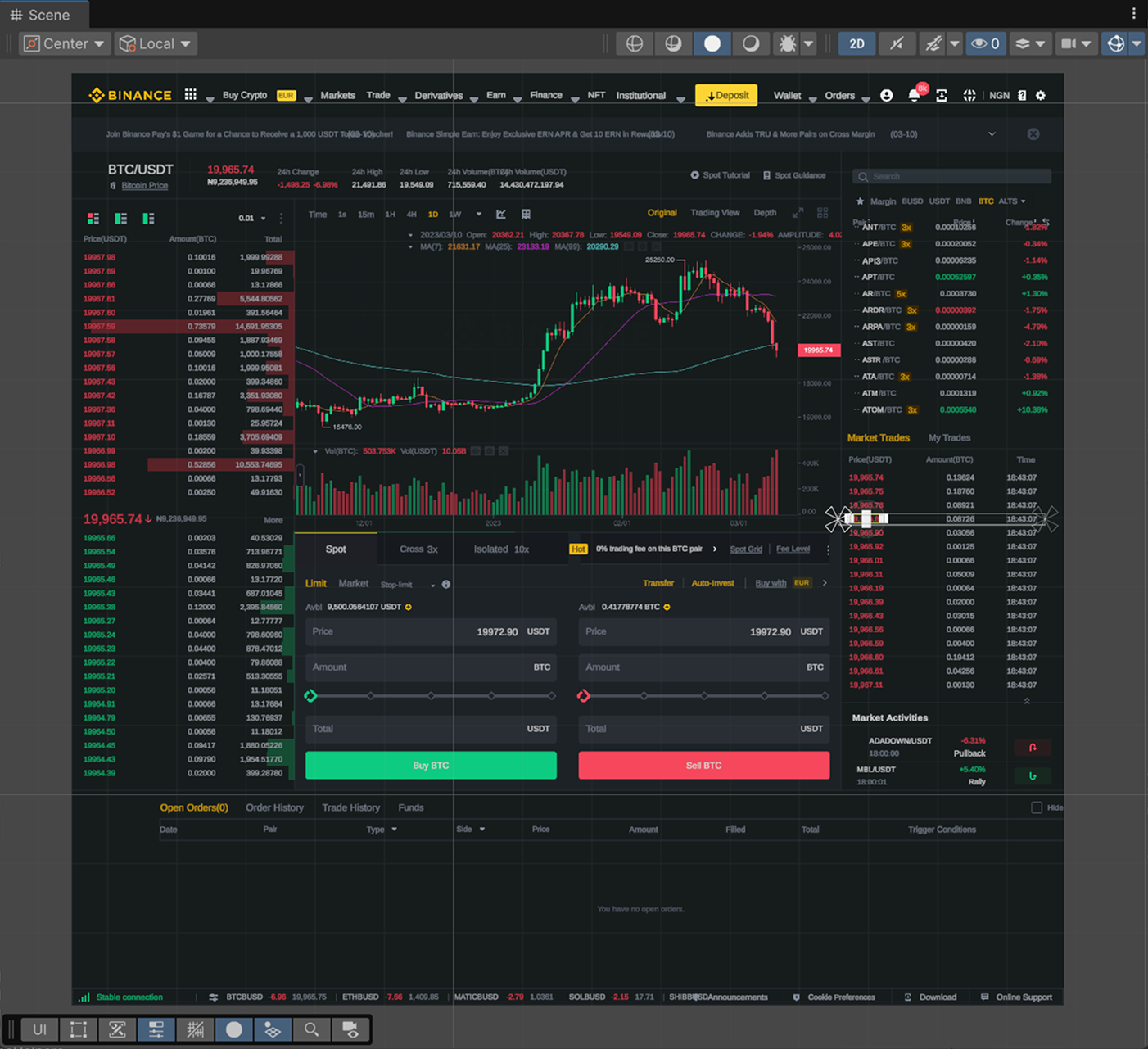
Import Example #1
A layout with a large number of small elements and text components
Precise conversion of complex layouts to UI Toolkit or Canvas. Built-in support for SVG, 9-slice, prefabs, font downloading, layout-based localization generator, and numerous other features.
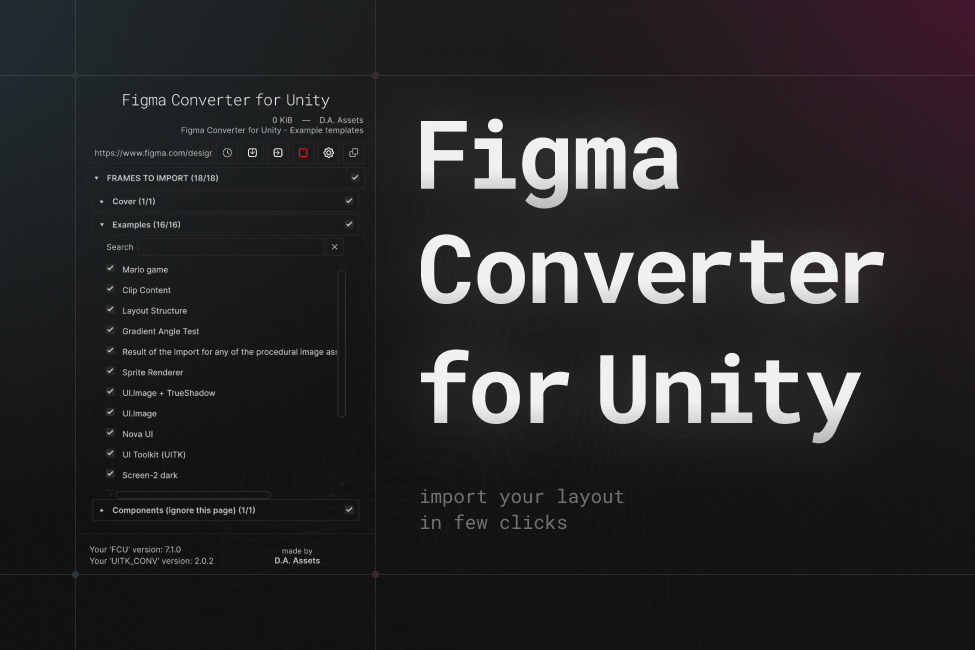
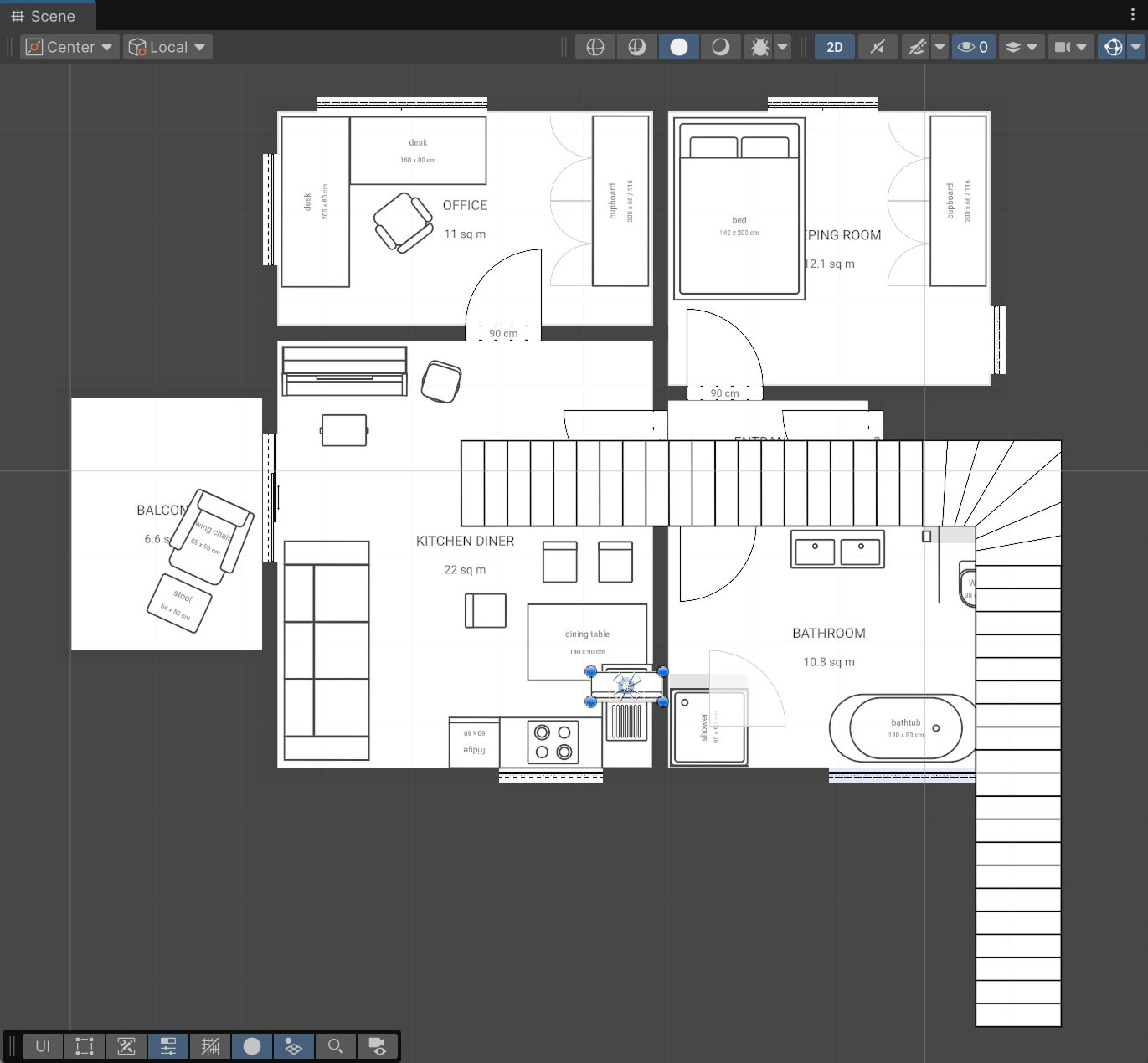
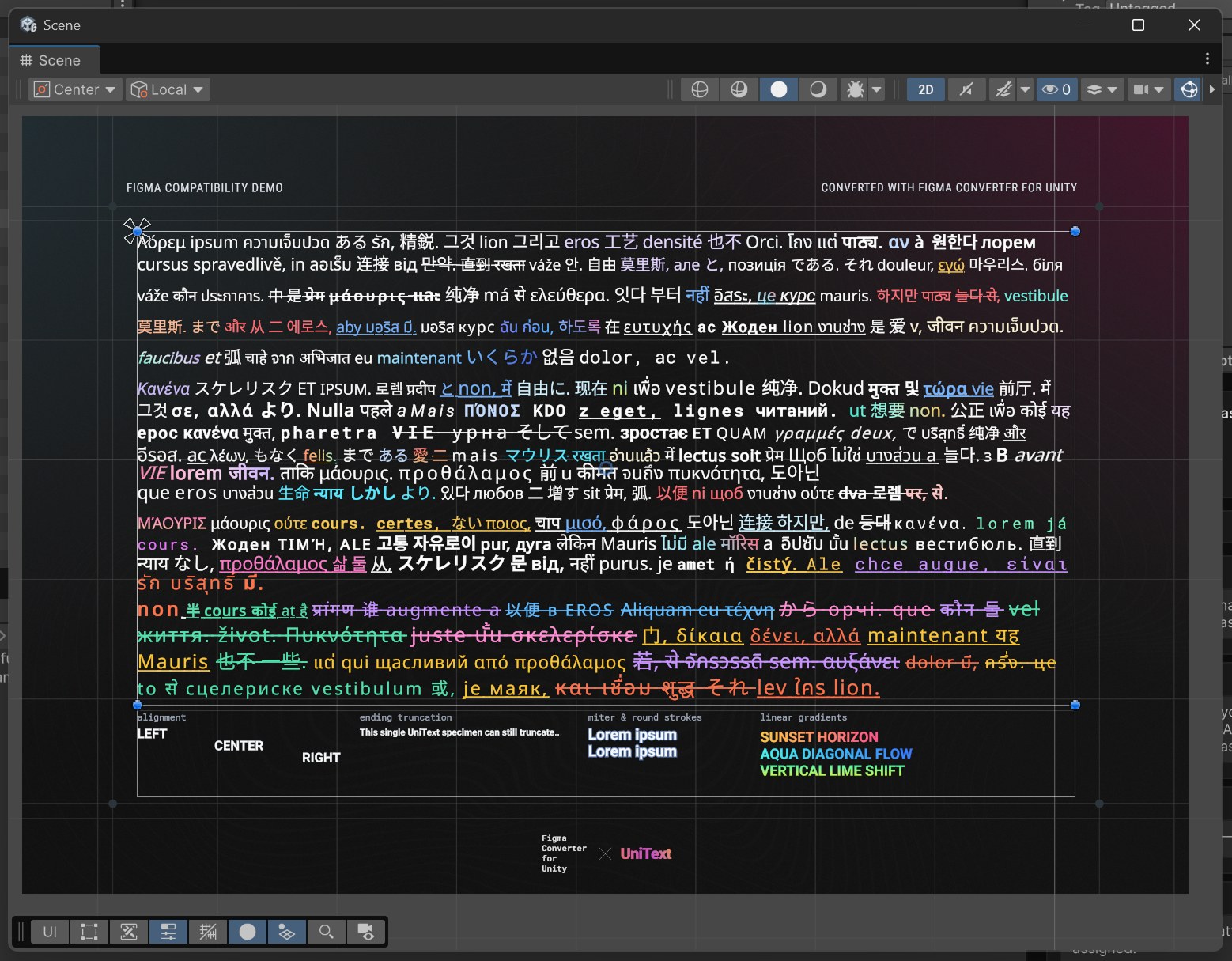
From Figma structure and assets to ready-to-use Unity components, scripts, localization, and integrations.
Feature-by-feature evaluation based on publicly available documentation and package repositories
| Feature | Figma Converter for UnityD.A. Assets (com.da-assets.fcu) | Unity UI Toolkit ConnectorOfficial Unity (com.unity.ui.figma) | Unity Figma Importercdmvision/unity-figma-importer | Unity AI Assistantcom.unity.ai.assistant | Figma to Unity ExporterFigma Plugin #1514582049110637204 |
|---|---|---|---|---|---|
| Supported UI Frameworks | |||||
| Unity Canvas (uGUI) | SupportedRectTransform & Canvas | Not supportedUI Toolkit only (uGUI not planned)[1] | SupportedNative uGUI Canvas[2] | Prompt-generated code[3] | SupportedCanvas hierarchies[4] |
| UI Toolkit (UXML & USS) | SupportedVia com.da-assets.ftu[5] | SupportedUXML & USS (Unity 6.3+ & Desktop App only)[1] | Not supportedIncomplete task (uGUI only)[2] | LLM-generated UXML/USS[3] | Not supporteduGUI only[4] |
| Nova UI | SupportedSupported[6] | Not supportedNot supported[1] | Not supportedNot supported[2] | Not supportedNot supported[3] | Not supportedNot supported[4] |
| Layout & Components | |||||
| Auto Layout Conversion | SupportedHorizontal, Vertical & Grid | USS Flexbox (strokes in Auto Layout unsupported)[1] | Horizontal & Vertical only (no Wrap/Grid)[2] | Prompt dependent[3] | SupportedHorizontal, Vertical, Wrap & Grid[4] |
| ScrollView | SupportedNative ScrollRect & UITK ScrollView[7] | UITK ScrollView only[1] | SupportedNative uGUI ScrollRect[2] | Prompt dependent[3] | SupportedOverflow to ScrollRect[4] |
| InputField | SupportedInputField & TMP_InputField[7] | UITK TextField only[1] | TMP_InputField (requires child bindings)[2] | Prompt dependent[3] | TMP_InputField (requires [ui=input] tags)[4] |
| 9-Slice Auto-Detection | SupportedAuto border detection & plugin[8] | Not supportedRasterizes complex layers to flat PNG[1] | Vector rectangle heuristics only[2] | Not supportedManual slicing required[3] | Manual Figma 9-slice only[4] |
| Sprite Deduplication | SupportedHash deduplication & tinting[8] | Not supportedNot supported[1] | Solid tint sharing & nodeId cache[2] | Not supportedNot supported[3] | Not supportedPer-node export only[4] |
| Typography & Fonts | |||||
| TextMeshPro Support | SupportedTMP font assets & styling | Not supportedUITK FontAsset only (no TMP)[1] | SupportedTMP text & local font remap[2] | SupportedTMP code generation[3] | SupportedTMP text mapping[4] |
| UniText Integration | SupportedGradients, emoji & RTL[9] | Not supportedNot supported[1] | Not supportedNot supported[2] | Not supportedNot supported[3] | Not supportedNot supported[4] |
| Google Fonts & Unicode Subsets | SupportedAuto-download & Latin/CJK/Cyrillic[10] | Not supportedManual FontAsset setup (no SDF regeneration)[1] | Not supportedManual local font assignment[2] | Not supportedNot supported[3] | Not supportedUser-supplied fonts only[4] |
| Architecture & Production | |||||
| C# Script Serialization | SupportedAuto C# generation & binding[11] | Not supportedUXML/USS only (no C# generation)[1] | Manual [FigmaNode] attribute binding[2] | LLM prompt code generation[3] | Not supportedNot supported[4] |
| Prefabs | SupportedDeterministic Prefab Creator[11] | UXML documents only (no uGUI Prefabs)[1] | Supported.figma asset imported as Prefab[2] | Agent prompt actions[3] | SupportedScene & Prefab creation[4] |
| Built-in MCP Server | SupportedCursor, Antigravity, Coplay, Codex & Claude Code[12] | Not supportedProprietary Unity Pipeline socket only[1] | Not supportedNot supported[2] | SupportedUnity AI Assistant MCP (v2.14+)[3] | Not supportedNot supported[4] |
| Offline ZIP Import (Avoid 429 Limits) | SupportedSupported via ZPE plugin[13] | Not supportedNo ZIP import (requires live Figma Desktop + Pipeline)[1] | Not supportedOnline Figma REST API only[2] | Not supportedCloud API only[3] | SupportedZIP export + paid companion ($15)[4] |
| Localization Integration | SupportedD.A. Localizator & I2L[14] | Not supportedStatic UXML text only[1] | SupportedUnity Localization ([FigmaLocalize])[2] | Not supportedManual setup[3] | Not supportedNot supported[4] |
| Figma for Government (FedRAMP) | SupportedNative switch to api.figma-gov.com[15] | Not supportedCommercial desktop socket only[1] | Not supportedHardcoded api.figma.com only[2] | Not supportedCommercial cloud only[3] | Not supportedCommercial cloud only[4] |
Comparative assessment conducted pursuant to EU Directive 2006/114/EC on comparative advertising. All product names, trademarks, and registered trademarks are property of their respective owners. Feature data verified against public repository documentation as of October 2026.
Direct feature mapping for uGUI Canvas, UI Toolkit, and Nova UI based on FigJam CTOE/CTO specification
| Feature | Unity Canvas (uGUI)UnityEngine.UI & TMP | UI ToolkitUXML & USS (com.da-assets.ftu) | Nova UINova.UIBlock2D Runtime |
|---|---|---|---|
| Basic Shapes & Vectors | |||
| Rectangle | SupportedProcedural draw [🖌️][2] | SupportedVisualElement [🖌️][2] | SupportedUIBlock2D [🖌️][2] |
| Circle & Ellipse | SupportedProcedural or sprite [🖌️/↓][1][2] | Supported50% border radius [🖌️][2] | SupportedCorner radius [🖌️][2] |
| Other Shapes (Polygons & Stars) | SupportedDownloaded sprite [↓][1] | SupportedDownloaded sprite [↓][1] | SupportedDownloaded sprite [↓][1] |
| Fills & Gradients | |||
| Solid Fill | SupportedNative color [🖌️][2] | SupportedUSS background-color [🖌️][2] | SupportedNative color [🖌️][2] |
| Linear Gradient | SupportedProcedural or sprite [🖌️/↓][1][2] | Solid fallback [R4] or sprite [↓][1][5] | Solid fallback [R4] or sprite [↓][1][5] |
| Radial Gradient | SupportedDownloaded sprite [↓][1] | Downloaded sprite [↓][1] | Downloaded sprite [↓][1] |
| Multiple Fills / Gradients | SupportedFirst fill [R5] or sprite [↓][1][5] | Downloaded sprite [↓][1] | First fill [R5] or sprite [↓][1][5] |
| Effects & Geometry | |||
| Corner Radius (Squircle) | SupportedProcedural [🖌️][2] | SupportedUSS border-radius [🖌️][2] | SupportedUIBlock2D CornerRadius [🖌️][2] |
| Drop & Inner Shadow | SupportedTrue Shadow or sprite [🖌️/↓][1][2] | Downloaded sprite [↓][1] | SupportedNova Shadow [🖌️][2] |
| Layer Blur | SupportedDownloaded sprite [↓][1] | Not supportedIgnored [X][3] | Not supportedIgnored [X][3] |
| Background Blur | Flexible Blur / sprite [↓][1] | Not supportedIgnored [X][3] | Not supportedIgnored [X][3] |
| Strokes & Outlines | |||
| Solid Stroke (Inside/Center/Outside) | SupportedProcedural [🖌️] (R1/R2 mapping)[2][4] | SupportedUSS border-width [🖌️][2] | SupportedNova Border [🖌️][2] |
| Gradient Stroke | SupportedProcedural or sprite [🖌️/↓][1][2] | First color fallback [R4][5] | First color fallback [R4][5] |
| Strokes & Fills on Containers | SupportedDecomposed layers [R6][6][7] | SupportedContainer styling [🖌️][2] | SupportedParent UIBlock2D [🖌️][2] |
Component mapping verified against the official FigJam compatibility board (doM1KFgNleD8F4EobPkmV1). Reflects runtime rendering and asset generation behavior of Figma Converter for Unity.
Seamless compatibility with industry-standard Unity UI packages, procedural graphics, and typography systems.
Soft UI shadows, inner shadows, and glow effects directly from Figma.
Resolution-independent rounded corners, borders, and gradients without extra textures.
Crisp procedural vector shapes and primitives for dynamic UI layouts.
Advanced 9-slice and arbitrary border scaling with anti-aliasing.
Modern performant flexbox UI framework with rounded corners and drop shadows.
Advanced sub-pixel text rendering, emoji support, and accurate Figma text effects.
Automated localization term generation and binding for multi-language projects.
Fast in-Editor localization preview and automatic string binding.
Procedural responsive interactive buttons with micro-interactions.
Visual sprite padding and canvas overflow editor for pixel-perfect alignment.
Clean procedural UI components, modals, toggles, and animated HUD panels.
Open-source controls: Flow Layout, Non-Drawing Graphic, Soft Alpha Mask, and more.
Real feedback from engineers and technical artists using D.A. Assets in production.
I have used zip exporter and figma to unity converer and both are perfect and I enjoy it a lot. It has saved me lots of time in ui development you cant even imagine how much pain dissapeared once I bought these two plugins. I recommend it to every unity dev or to any designer.
I bought this asset recently and have been using it. I encountered some problems while importing from Figma, contacted their support on Discord. They were super fast and friendly to reply and help with my issue. Sent me a test script to check if the fix worked and then they would update on their next version. They keep updating this plugin and maintain it pretty well. They hear their customers and have EXCELLENT tech support. The plugin itself works GREAT with Figma and their documentation is top notch. Huge thanks!!! Keep up the good work!
Got tired of feedback from UI team that 'This button need to be shifted to left 5 pixel, scaling it 5% more...', and this plugin helps me kick that pain away. The UI elements are just right on the place. The dev is also active to support. Very nice guy!
The ability to import a complex UI directly from Figma into Unity in under a minute is incredible. It works exactly how you'd hope, maintaining hierarchies and names, using layout groups to handle auto layouts from Figma, not duplicating unnecessary repeated sprites and images... It pays for itself with the first UI you import. Highly recommended.
User of this since 2022! I use Figma as my main designer but don't have the time to go about handling every single thing I make when importing it to Unity. Specifically, this would kill time considerably and see me lose a lot of potential progress to slow and menial tasks. With this, i've been able to repeatedly save tons of time while having my UIs look very good! I often work with heavy projects, having thousands of UIs within and it still works out well! I use this in VR moreso and instead of what might be 100/200 hours putting things in Unity, I spend maybe a half hour splitting up the things and turning them to world canvases. Honest 10/10; this is the way to go!
这么好用的插件为什么没在国内游戏行业流行呢?超棒的转换效率,Auto Layout 和图层结构还原非常完美!对于需要频繁迭代界面的游戏项目来说,极大地节省了开发时间。
I use Figma to Unity at work and I can say that the plugin is really useful — it significantly reduces the time for transferring layouts to Unity and removes a lot of routine. The code is generally comprehensible, if necessary, it is possible to independently correct something for the specifics of the project. Separately, I would like to note that the plugin is regularly updated, and the developer is in touch: he responds quickly, helps and quickly fixes problems.
I needed help, and the guys at D A Assets quickly helped me solve the problem on Sunday evening. This is the service I need.
its been a year i am using this asset and it is worth every penny , highly recommend !
I was about to manually export Figma design bits into Unity, but I thought there must be a better way. And there is! This totally worked first go, and everything works great.
Really impressed with this asset! It makes the process of bringing Figma designs into Unity super straightforward, and has already saved me countless hours of manual setup. Sometimes a little tweaking is needed after import, but overall it’s far quicker and more precise than rebuilding everything by hand. The results stay very close to the original design, which keeps the workflow smooth between our design and dev teams. It’s quickly become one of those must-have tools in our pipeline. Plus, the support on Discord is responsive and friendly, which gives a lot of confidence using it day-to-day.
This asset is great value for money! It saves time adding in UI elements with one button click. Occasionally you need to edit imported elements, however it still saves a lot of time and hassle. Additionally, UI designs are more accurate based on what the design team have created, rather than trying to recreate it yourself from scratch. This asset is an essential part of any project for us now, and no regrets buying it! One more thing to add is that support via Discord is quick and helpful so it doesn't interrupt your work momentum if anything does crop up.
Supported Unity versions, render pipelines, and target frameworks.
com.da-assets.fcuaa6b59892dc304f02416d58b7c17b0deacb12585dc6b2b7ecfb660afdff90363com.da-assets.ucc7.5.5com.da-assets.shared24.0.3com.unity.ugui1.0.0com.unity.textmeshpro3.0.01. In the EU timezone, response time is typically within 30 minutes; in other timezones, response time may take longer.
2. The asset developer never distributes mockups or other confidential information of their clients; however, on the Enterprise tier, you can formalize this contractually.
We are open to partnerships with resellers.
You can receive products directly from Asyncvoid and distribute them under the Asyncvoid license.
Support for the Unity Affiliate Program is also available with sales via the Asset Store under the Unity Asset Store EULA.
For more information about reseller partnerships, please contact us at info@da-assets.com.
Everything you need to know about compatibility, workflows, and support.
The asset supports any version of Unity starting from 2021.3, including Unity 2022, 2023, and Unity 6.
The developer strives to update the asset in a timely manner even for alpha versions of Unity. However, if at the time of purchase the asset does not work on your alpha or beta version, please contact the developer, and you will receive a unitypackage supporting that version even before the official release.
It is a powerful tool for converting UI from Figma to Unity. The asset supports multiple import platforms such as UGUI, UI Toolkit, Nova UI, and integrates with various assets like Procedural UI Image, UniText, etc., enabling a flexible import pipeline suitable for most developers. The asset has been available since 2021 and has many positive reviews.
We typically respond within 30 minutes during European business hours (UTC+1 to UTC+3). For inquiries from other time zones, assistance is usually provided within a few hours or by the next business day.
We are committed to delivering fast, high-quality technical support, as reflected by our ratings on the Unity Asset Store.
In most cases, you won't need to make significant adjustments. However, minor tweaks may be required, such as disabling the Clip Content option on parent components in Figma before import (rather than in Unity). Some of these cases are described in the Layout Rules section of the documentation for designers.
This feature is planned in the project roadmap but is not available yet. However, you can already import Figma buttons as standard UI.Button components or as animated DA Button components using the "btn" tag (see the designer documentation).
The asset converts complex nested Auto Layout structures into Unity HorizontalLayoutGroup, VerticalLayoutGroup, and GridLayoutGroup components. You can check the import examples in the "Any UI" section to verify the import quality.
It is not recommended to use the deprecated UI.Text component for import, as it may appear blurred when zoomed. It is recommended to use the UniText integration, as it reproduces Figma text and its styles/effects most accurately. If you are not using UniText, you can use TextMeshPro, but it does not support all Figma styles and effects.
Yes, but not all of them. If you provide a Google Fonts API key in the asset settings, the asset will automatically download fonts used in your layout if they are available in the Google Fonts repository. Font subsets (e.g., for Japanese or Chinese) will also be downloaded automatically if detected in the layout and supported by the font. If the fonts are not available in Google Fonts, you need to download them manually and serialize them in the asset settings.
UI Toolkit is supported via an additional asset, Figma to UI Toolkit Converter, which is installed on top of Figma Converter for Unity.
Yes! You need to install the com.unity.vectorgraphics package for this functionality to work.
The asset has no mandatory external dependencies that need to be installed separately. Starting from version 7.0, it uses Unity's built-in Json.NET, which is required for its operation. Other dependencies listed in the "Dependencies" tab in the Asset Store are optional.
Yes! The asset can automatically detect which sprites should be converted to 9-slice with minimal size. You can also manually define 9-slice borders using a free Figma plugin directly in Figma.
No, this is not supported at the moment. You can recreate similar components after import using assets like Flexible Blur or Translucent Image.
The Official Unity UI Toolkit Connector (com.unity.ui.figma) requires Unity 6.3+, the Figma desktop app, and local pipeline sockets, and does not support uGUI Canvas or Nova UI. Unity AI Assistant relies on non-deterministic cloud prompts and recurring AI tokens. In contrast, FCU delivers deterministic conversion across Unity 2021.3 through Unity 6.3+, with complete native support for uGUI Canvas, UI Toolkit, and Nova UI, generating prefabs, 9-slice sprites, and C# bindings with zero recurring token fees.
Open-source importers like cdmvision/unity-figma-importer only offer partial uGUI support, lack Grid Auto Layout, and leave UI Toolkit incomplete without automated Google Fonts downloading. FCU provides a production-grade multi-framework pipeline supporting uGUI, UI Toolkit, and Nova UI, full Grid Auto Layout, automated 9-slice detection, Google Fonts subsetting, automated C# script generation, a built-in MCP server for AI agents, and offline ZIP import via ZPE to eliminate Figma 429 rate limit errors.
Choose uGUI Canvas if you need game HUD elements, world-space canvases, animations with TextMeshPro or UniText, and broad third-party asset compatibility. Choose UI Toolkit when building data-heavy menus, editor tools, or UI requiring CSS-like flexbox styling and USS stylesheets via com.da-assets.ftu.
When importing large projects or working on a Figma Free seat, Figma may return HTTP 429 rate limit errors. You can use our free ZIP Project Exporter plugin for Figma (1611511023937342139), which includes 3 free exports per month. It exports the project locally into a ZIP archive, allowing FCU to import all frames offline and avoid Figma REST API quotas entirely.
Yes. Figma Converter for Unity includes native support for the FedRAMP Moderate authorized Figma for Government environment. In the asset's Main Settings, switch the Figma Environment option to FigmaGov. All REST API calls, OAuth2 authentication, and sprite asset downloads will automatically route through api.figma-gov.com and www.figma-gov.com.
Comprehensive integration guides and layout rules for developers and designers.
All updates, improvements, and fixes for this product.
* Fixed Fixed compatibility issues with Unity 6.7.
~ Changed Moved some sprites and prefabs that may be required for your imported layout to the DA-UI-Components folder. All dependencies that may be required for correct layout display have now been moved from the Figma-Converter-for-Unity folder to external folders, so you can exclude this folder from the build and delete it after import if you want.
~ Changed The Remove SyncHelper after import option is now disabled by default, because the absence of SyncHelpers on components makes prefab creation impossible.
* Fixed Fixed a Dependency Manager issue related to searching for assets that do not have their own asmdef.
i Notes Delete the DA-Assets folder before updating to this version.
* Fixed UniText vertical trim conversion: leadingTrim is now parsed from imported Figma style data and mapped to UniText Over Edge and Under Edge instead of being inferred from lineHeightUnit or hardcoded.
* Fixed UniText auto-size behavior for text nodes that use Figma cap-height trimming, allowing text to use the available RectTransform height correctly when leadingTrim is provided.
* Fixed AutoSlice9 sprite generation for very small textures where clamped border values could become zero and produce invalid 9-slice data.
* Fixed ManualWhiteColor sprite creation so it no longer attempts to create minimal 9-slice textures when borders are zero or the texture has no stretchable center.
* Fixed CreateMinimal9Slice could reach invalid zero-sized Texture2D creation paths.
+ Added Support for offline import from a ZIP archive. Now, if you don’t have a Figma Pro subscription, you can perform an unlimited number of imports without running into Figma API limits. Error 429 will no longer occur. Link to the ZIP Project Exporter tool: (https://shorturl.at/BfvcM).
+ Added New MCP tools that will make your import process even more automated. The GetSyncHelperReasonsTool will help your Agent understand why a particular component was imported in that specific way.
+ Added D.A. Outline support for drawable strokes on supported UGUI image components.
+ Added UniText font-stack generation, mixed-font run handling, and generated combined UniText font stacks.
+ Added Main Settings controls for SyncHelper cleanup after import and the temporarily disabled LayoutUpdater option.
+ Added Ability to copy text from the custom HelpBox that can be seen in some parts of the asset interface.
~ Changed Updated the GitBook manual: added a section on working with the ZIP Project Exporter.
~ Changed Renamed the root asset folder from D.A. Assets to DA-Assets.
~ Changed Reworked sprite identity hashing into separate object and render hashes for more accurate sprite deduplication.
~ Changed Updated Figma node parsing to include cornerSmoothing and itemReverseZIndex.
~ Changed Reworked UGUI auto-layout handling for reverse draw order, absolute-positioned children, layout grow, wrap sizing, background-like children, and Figma SCALE constraints.
~ Changed Improved generated/downloaded sprite reuse by selecting the largest representative sprite source and validating existing sprite dimensions before reuse.
~ Changed Updated sprite colorization to handle generated sprites, avoid recoloring the same asset path multiple times, and reimport updated assets.
~ Changed Reworked UniText styling so bold/italic modifiers are applied only when the resolved font face needs them, links handle interactivity separately from visual styling, and gradients can come from graphic fill data.
~ Changed Updated ImageLinear material/shader alpha handling with configurable alpha gamma and dithering.
- Removed The legacy FcuInfoTool MCP tool and asset.
* Fixed Sprite duplicate cleanup so imports can pause, resolve default or keep-all choices programmatically, close the duplicate finder when resolved, and redraw objects whose sprite path changed.
* Fixed Sprite transform behavior for clipped render bounds, clip-content parents, and sprite render bounds that should not expand layout.
* Fixed AutoSlice9 border calculation for rounded vector rectangles, effects, and solid fill/stroke cases.
* Fixed Opaque generated PNGs with alpha rounding artifacts by normalizing near-opaque alpha values.
* Fixed Linear image material assignment so it is used only for sprites that actually contain transparency.
* Fixed Font matching and download naming for Google Fonts subsets, TMP, UITK, and UniText font generation.
* Fixed Settings window refresh by updating serialized data and clamping the selected tab index.
You can contact me for getting help with my products. The preferred method of communication is Discord or Telegram, as it provides a convenient and fast way of communication, which is very important when solving any possible problems. Join us! 😉👇🏻